

What Notetaker does
- It joins the Google Meet and Microsoft Teams meetings that your tasks book. In the meeting, it appears as a participant named Nexor AI.
- It records whether the lead attended and sets the meeting result for you. See Meeting results.
- With transcription on, it transcribes the meeting and posts a short notice in the Google Meet chat to say that the meeting is being transcribed.
- The results appear on the lead’s meeting and reach the agent.
Before you turn it on
The Notetaker page checks three requirements. All three must pass before you can turn Notetaker on:
To set the meeting type of a task, see Meeting types and hosts.
Turn on Notetaker
1
Open Notetaker
Open Integrations and select Notetaker.
2
Complete the three steps
Each step shows a button that opens the place to fix it, such as Meeting settings or View meetings. A step that passes shows a check mark.
3
Turn on Notetaker
Turn on the Turn on Notetaker switch. Until the three steps pass, the switch is locked and Nexor shows Complete the steps above to turn it on.
4
Choose the transcription setting
The Transcription switch is on by default. Leave it on to get a transcript and a summary, or turn it off to record attendance only. See Turn off transcription.
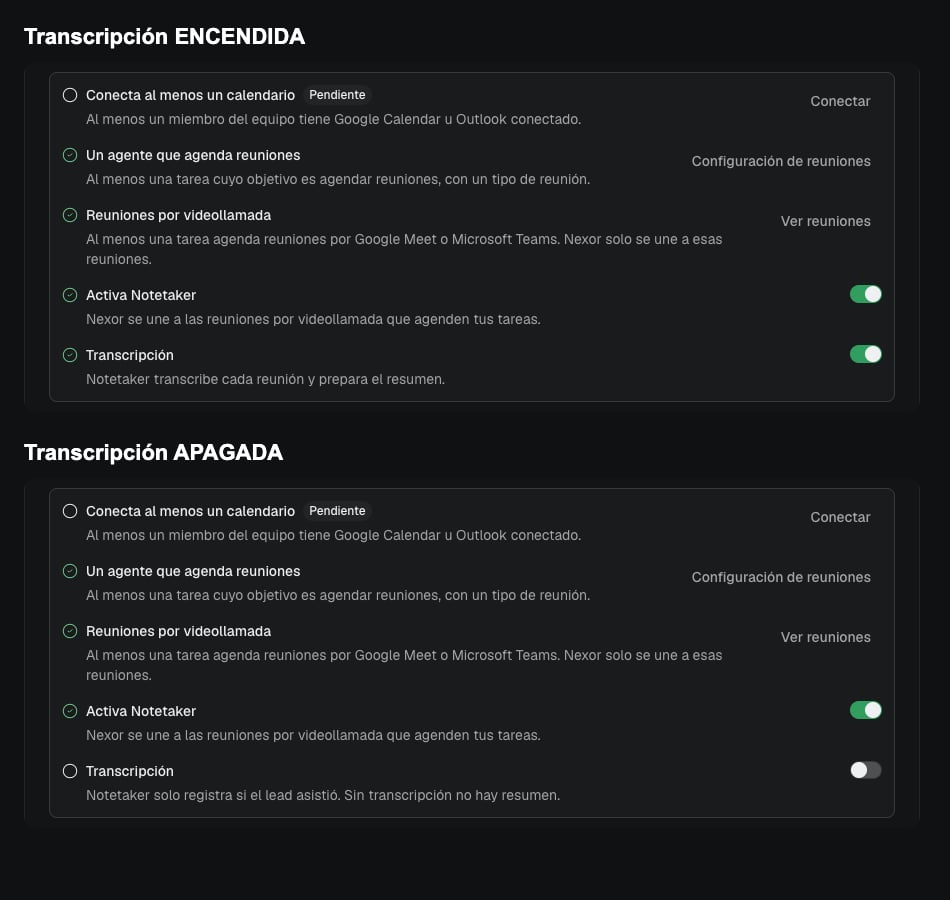
The Notetaker setup steps with the Transcription switch on (top) and off (bottom). Shown in the Spanish interface.
Join meetings with your Nexor account
Notetaker identifies people by the name shown in the meeting. Your team should join meetings with the same account they use in Nexor. If a team member joins with another account, Notetaker can mistake them for the lead.Meeting results
When the meeting ends, Notetaker sets the meeting result from who joined: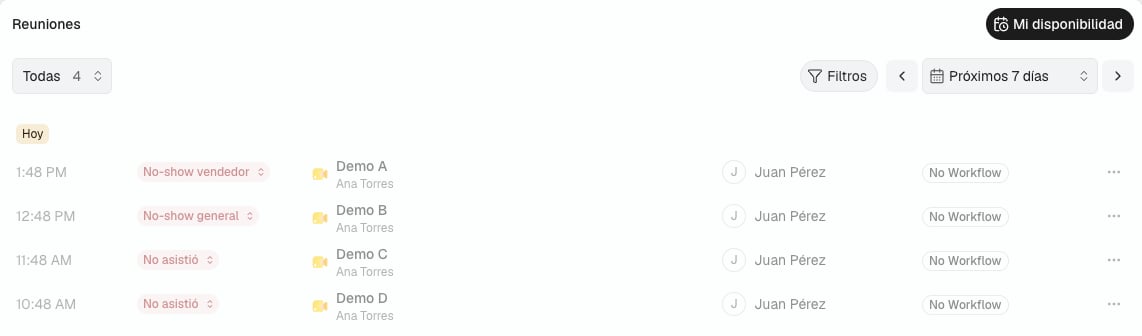
Meetings with the three no-show results. Demo data, shown in the Spanish interface.
Filter no-shows in Meetings
In Meetings, open the status selector and choose No-show to see every no-show. Under it, three options split the no-shows by who missed the meeting:- Lead no-show
- Host no-show
- Nobody joined
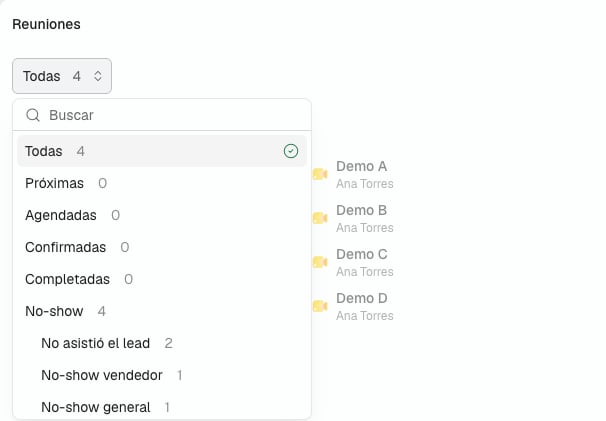
The status selector in Meetings, with the no-show results under No-show. Demo data, shown in the Spanish interface.
Transcript and summary
With the Transcription switch on, open the meeting from the lead’s conversation. The meeting page shows:- Summary: the main points of the meeting, grouped by topic.
- Transcript: what each person said, with search and copy.
- Sentiment, in the Details panel, as a score out of 5.
Turn off transcription
With the Transcription switch off, Notetaker only records whether the lead attended:- No transcript.
- No summary.
- No notice in the meeting chat.
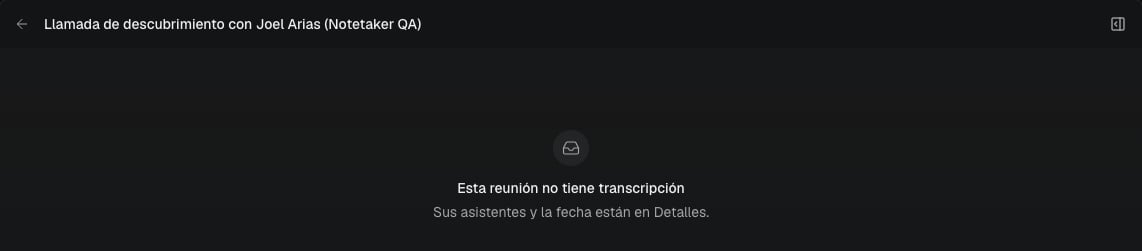
A meeting recorded with transcription off. Shown in the Spanish interface.
Troubleshooting
The Turn on Notetaker switch is locked
One of the three steps has not passed. Open Integrations → Notetaker and complete each step without a check mark.Notetaker did not join a meeting
Check that the task books Google Meet or Microsoft Teams meetings and that Turn on Notetaker is on. Notetaker does not join meetings with other meeting types.Your team joined, but the meeting shows Host no-show
A team member probably joined with an account that is not the one they use in Nexor, so Notetaker took them for the lead. Ask your team to join with their Nexor account. You can still change the result from the status control in Meetings.A meeting has a transcript but no summary
The meeting was very short. Nexor does not prepare a summary for very short meetings.Configure meeting types and hosts
Choose Google Meet or Microsoft Teams for the task that books meetings.
Manage meetings
Find meetings, filter by status, and record the outcome.