

Connect a channel
Select your agent and open Channels in the right pane. Use Add a channel to connect a new one, or Assign to give the agent a channel your account already has connected.
A number or inbox is used by one agent at a time. If you assign it to another agent, the first one stops using it.
WhatsApp depends on Meta: your display name must be approved, and the agent can only start a conversation with an approved message template. Start that process early. See Message templates.
Choose which task uses each channel
By default, every task uses the agent’s channels. To change that for one task, open the task and go to Channels. There you can:- turn a channel off for that task;
- choose which channel makes the First contact;
- set how the task behaves on each channel, such as its style and the WhatsApp templates it uses to greet and follow up.
Set the working hours
Open Schedule on the agent to choose the days and hours when it reaches out, and how long it waits before following up. The schedule applies to every task; a task can have hours of its own. Each task keeps its own time zone, set in the task’s settings. Under Outside those hours, choose what happens the rest of the time:- Block calls only: the agent doesn’t start calls, but it can keep replying by message.
- Block all channels: the agent waits for the next window before contacting anyone on any channel.
Bring in leads
When a lead arrives in a live task, the agent contacts it right away, within its working hours. In a paused task the lead waits until you set the task live.
During your U.S. free trial
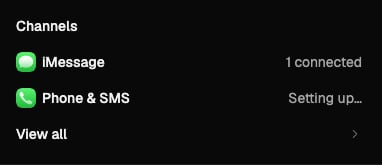
This trial setup applies to accounts in the United States. Nexor sets up iMessage and a phone number for calls and SMS for you. iMessage sends from a shared Nexor line. Both appear as connected in Channels.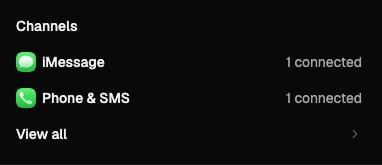
Before calling the channel ready
- Confirm that the number or address belongs to the right agent.
- Check which task makes first contact and its working hours.
- For WhatsApp, confirm that the template for the first message is approved.
- Test with someone on your team and check that both the message and reply appear in Nexor.
Next
Tasks that work together
Pass leads from one task to the next.
Go-live checklist
What to check before your agent talks to real leads.