> ## Documentation Index
> Fetch the complete documentation index at: https://docs.getnexor.ai/llms.txt
> Use this file to discover all available pages before exploring further.
# Custom connection
> Connect an in-house CRM or unsupported system to Nexor with input doors, webhooks, API keys, and HTTP tools.
Use a custom connection when your system does not have a dedicated Nexor integration card. Common examples are an in-house CRM, Salesforce, or Flowlu.
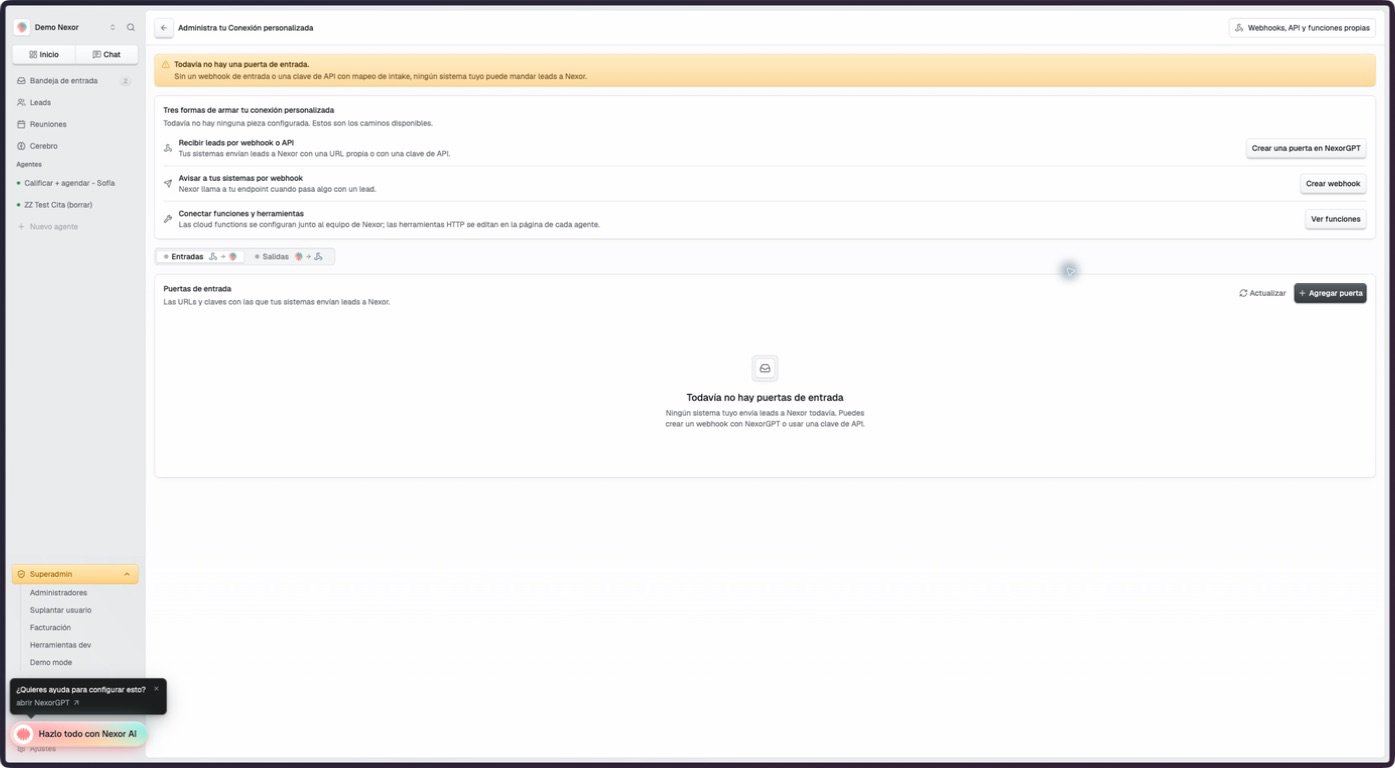
Open **Settings → Integrations → Custom connection**. The page separates data that enters Nexor under **Inputs** from calls and automations under **Outputs**.
 ## Choose an input door
| Door | Agent routing | Best fit |
| ---------------- | ------------------------------ | -------------------------------------------------------------------------------------- |
| Incoming webhook | One agent is saved on the door | A system that pushes each lead to one fixed destination |
| API key | The request chooses the agent | A system that sends leads to different agents or also uses other Public API operations |
Under **Input doors**, choose **Add door**. The current product offers **Incoming webhook** and **API key**.
### Incoming webhook
The **Incoming webhook** action opens NexorGPT with a prepared request to create the door. Once it exists, the Inputs table lets you:
* copy the complete inbound URL;
* choose the receiving agent;
* pause or resume the door without deleting its configuration;
* review created, duplicate, rejected, and validation counts for the last 30 days;
* edit the translation from incoming fields to Nexor fields.
Treat the complete URL as a secret because it contains the door token. Send a synthetic request with `?dry_run=true` before sending a real lead. See [Inbound lead webhooks](/docs/en/api/webhooks/inbound-leads) for the request and response contract.
### API key
An API-key door uses the Public API. Include `workflow_id` when the request should enroll the lead in a specific agent. The Custom connection page therefore shows **Chosen on each request** instead of saving one agent on the door.
API keys are managed on their own screen. A key configured for intake can translate a non-Nexor payload before lead processing; a payload that already uses Nexor's field names can pass through without a translation. Do not send a secret key in chat, screenshots, or a client-side application.
## Map incoming fields
For an incoming webhook, the mapping direction is:
```text theme={null}
field.from.your.system → Nexor field
```
The available Nexor targets are `first_name`, `last_name`, `email`, `phone`, `company`, `title`, `source`, and `external_id`. Nested object paths and array indexes use dot notation, such as `contact.email` or `contacts.0.phone`.
At least one mapped target must be `first_name`, `last_name`, `email`, or `phone`. Nexor rejects a lead that has none of those four values after translation. An empty map is valid only when the incoming body already uses Nexor's canonical field names.
Do not enable traffic with an empty map just because the door can be saved. First send a dry-run payload and confirm that an identity field appears in the response.
## Outputs and automations
## Choose an input door
| Door | Agent routing | Best fit |
| ---------------- | ------------------------------ | -------------------------------------------------------------------------------------- |
| Incoming webhook | One agent is saved on the door | A system that pushes each lead to one fixed destination |
| API key | The request chooses the agent | A system that sends leads to different agents or also uses other Public API operations |
Under **Input doors**, choose **Add door**. The current product offers **Incoming webhook** and **API key**.
### Incoming webhook
The **Incoming webhook** action opens NexorGPT with a prepared request to create the door. Once it exists, the Inputs table lets you:
* copy the complete inbound URL;
* choose the receiving agent;
* pause or resume the door without deleting its configuration;
* review created, duplicate, rejected, and validation counts for the last 30 days;
* edit the translation from incoming fields to Nexor fields.
Treat the complete URL as a secret because it contains the door token. Send a synthetic request with `?dry_run=true` before sending a real lead. See [Inbound lead webhooks](/docs/en/api/webhooks/inbound-leads) for the request and response contract.
### API key
An API-key door uses the Public API. Include `workflow_id` when the request should enroll the lead in a specific agent. The Custom connection page therefore shows **Chosen on each request** instead of saving one agent on the door.
API keys are managed on their own screen. A key configured for intake can translate a non-Nexor payload before lead processing; a payload that already uses Nexor's field names can pass through without a translation. Do not send a secret key in chat, screenshots, or a client-side application.
## Map incoming fields
For an incoming webhook, the mapping direction is:
```text theme={null}
field.from.your.system → Nexor field
```
The available Nexor targets are `first_name`, `last_name`, `email`, `phone`, `company`, `title`, `source`, and `external_id`. Nested object paths and array indexes use dot notation, such as `contact.email` or `contacts.0.phone`.
At least one mapped target must be `first_name`, `last_name`, `email`, or `phone`. Nexor rejects a lead that has none of those four values after translation. An empty map is valid only when the incoming body already uses Nexor's canonical field names.
Do not enable traffic with an empty map just because the door can be saved. First send a dry-run payload and confirm that an identity field appears in the response.
## Outputs and automations
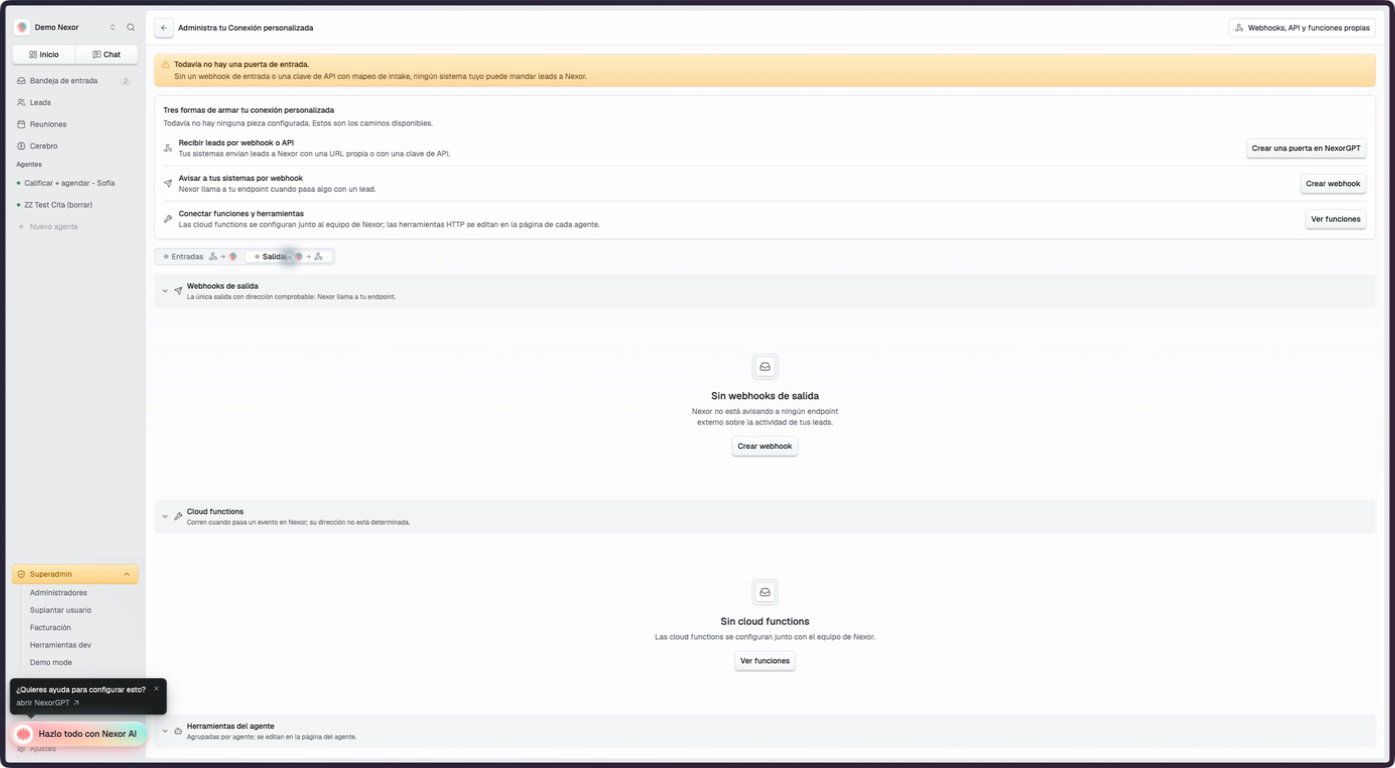 The page inventories three related surfaces:
* **Outgoing webhooks:** Nexor calls your endpoint for configured lead events. This is the only section whose outbound direction is guaranteed by the inventory.
* **Cloud functions:** event-driven code configured with the Nexor team. A function may read, write, or perform both, so the page does not infer its direction.
* **Agent tools:** HTTP tools attached to an agent. Their behavior comes from the method, endpoint, schema, and instructions you configure.
Use [Advanced automation](/docs/en/guides/advanced/overview) for outgoing webhooks and functions. Configure an HTTP tool on the agent that should be able to call it.
The staging documentation account had no configured input door on September 7, 2026. The empty Inputs and Outputs screens above are real; a configured door and its field-mapping editor could not be captured without inventing a connection.
The page inventories three related surfaces:
* **Outgoing webhooks:** Nexor calls your endpoint for configured lead events. This is the only section whose outbound direction is guaranteed by the inventory.
* **Cloud functions:** event-driven code configured with the Nexor team. A function may read, write, or perform both, so the page does not infer its direction.
* **Agent tools:** HTTP tools attached to an agent. Their behavior comes from the method, endpoint, schema, and instructions you configure.
Use [Advanced automation](/docs/en/guides/advanced/overview) for outgoing webhooks and functions. Configure an HTTP tool on the agent that should be able to call it.
The staging documentation account had no configured input door on September 7, 2026. The empty Inputs and Outputs screens above are real; a configured door and its field-mapping editor could not be captured without inventing a connection.